Organize 2,000 Wedding Photos Before Lightroom Even Opens
TL;DR
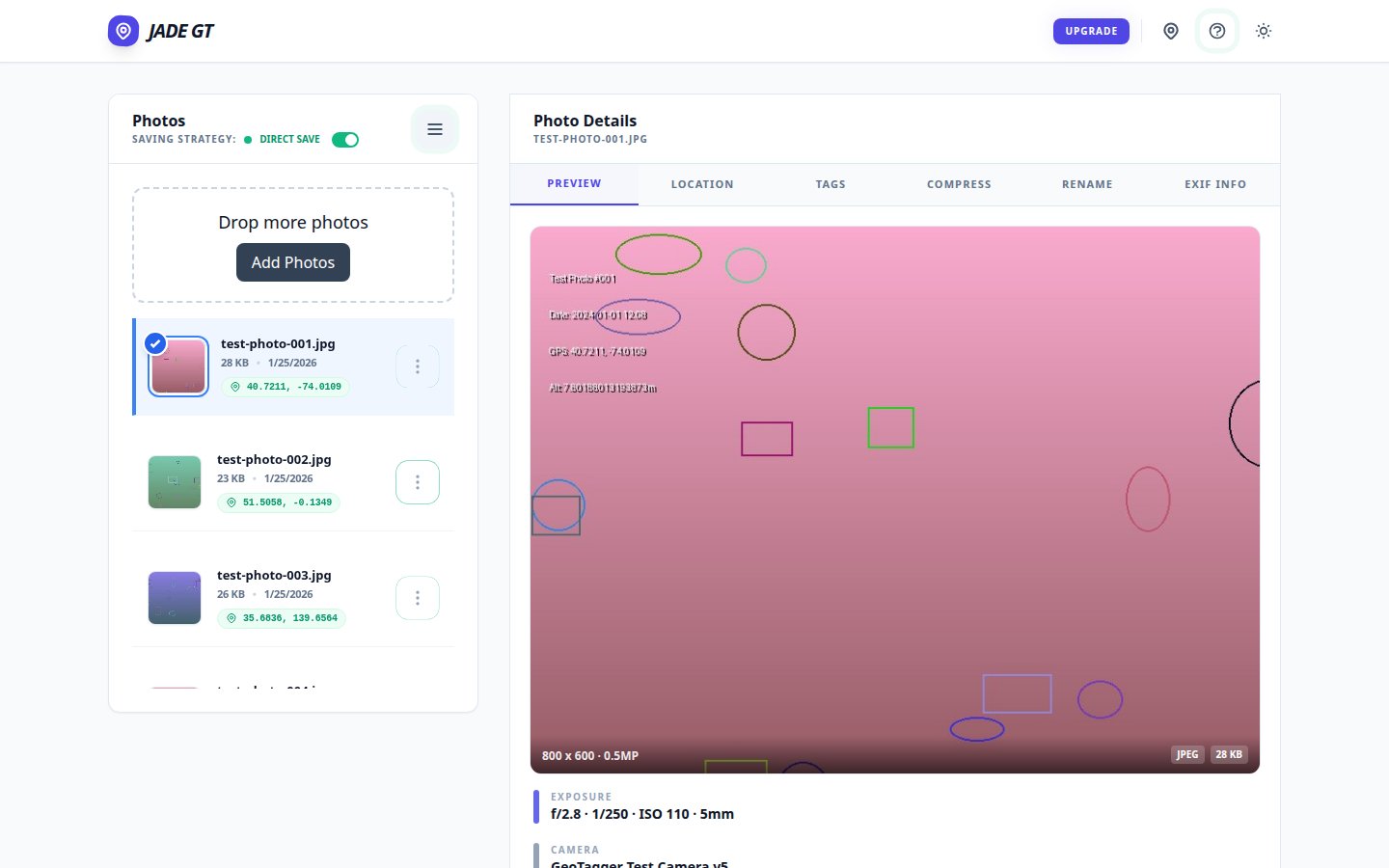
A wedding-Monday metadata pass is six separate treatments — copyright, title, keywords, GPS, rename, stamp — usually spread across six tools and four hours. Jade GT collapses them into a single browser pass before you import into Lightroom. Files never upload anywhere; the only typing is forty keystrokes of wedding-specific detail.
It is Monday. The cards are pulled. The coffee is hot. Somewhere on your desk, two memory cards and a backup drive are holding roughly 2,000 RAW files from Saturday's wedding — and none of them know their own name yet.
If you have been shooting weddings for more than a season, you already know the shape of the next four hours. Rename. Stamp copyright. Geotag the venue. Keyword the ceremony. Rate the keepers. Title the event. Six separate treatments, each one a full pass across the whole card, most of them living in different tools. By the time Lightroom finally opens, half your morning is gone and you have not culled a single frame.
A note before we start: I'm a photographer, but I don't shoot weddings. My father-in-law did, for years in Traverse City, Michigan, and the Monday-morning metadata grind was the part of the week he complained about most. The workflow below is assembled from what he taught me and from the working wedding pros I've interviewed while building Jade GT — see the related post, What to tell wedding clients who ask about AI, where a lot of that source material shows up.
This post is about collapsing that morning into one drag.
Why does a wedding-Monday metadata pass take four hours?
Two thousand photos is not the problem. Your camera shot them in a weekend; your drives can copy them in minutes. A typical wedding produces around 2,000 delivered images, and working pros budget roughly three hours of editing per hour of shooting once you include culling, metadata, and color.
The problem is that every pass you make over those files costs you the same amount of time regardless of what you are changing. Renaming 2,000 files takes as long as geotagging 2,000 files takes as long as keywording 2,000 files — because the bottleneck is the pass, not the task.
Six tools means six passes. Six passes means your Monday is gone before Lightroom opens.
The fix is not a faster tool. The fix is fewer passes.
What metadata does every wedding photo actually need?
Here is what a wedding-Monday metadata pass contains, as the working pros I've interviewed describe it. The underlying fields are the IPTC and EXIF blocks that Lightroom reads and writes natively — the same ones Bridge, Capture One, and every delivery platform expect:
| # | Treatment | Field(s) written | Retyped per wedding? |
|---|---|---|---|
| 1 | Copyright and photographer name | IPTC Copyright, Creator |
No — studio default |
| 2 | Event date and venue name | EXIF DateTime, IPTC Location |
Yes — typed once |
| 3 | Couple names or event title | IPTC Title |
Yes — typed once |
| 4 | Keywords | IPTC Keywords |
Partially — core wedding tags reused |
| 5 | GPS coordinates | EXIF GPSLatitude, GPSLongitude |
Yes — geocoded from venue |
| 6 | Filename rename | file name on disk | Yes — token pattern like Smith_KeyWest_2026_00001.jpg |
Six things. Every wedding, every Monday.
How do you do the whole metadata pass in one drag?
Here is the workflow I built Jade GT to replace the old six-pass one — one browser tab, one folder drop, before Lightroom ever opens:
1. Drop the folder onto the page
Open Jade GT in your browser. Drag the whole card's worth of RAWs onto the drop zone. Nothing uploads anywhere — the files stay on your machine. (More on that in a minute.)
2. Fill in the schema once
Copyright and photographer name are already saved from last week. You will type the venue name, the couple's names, and the date. Total keystrokes: maybe forty. This is the only typing you do all morning.
Pick your filename token pattern — the studio that becomes Smith_KeyWest_2026_00001.jpg builds that schema once and reuses it forever. (Full token reference in the Rename section of the user guide.)
3. Preview on ten photos
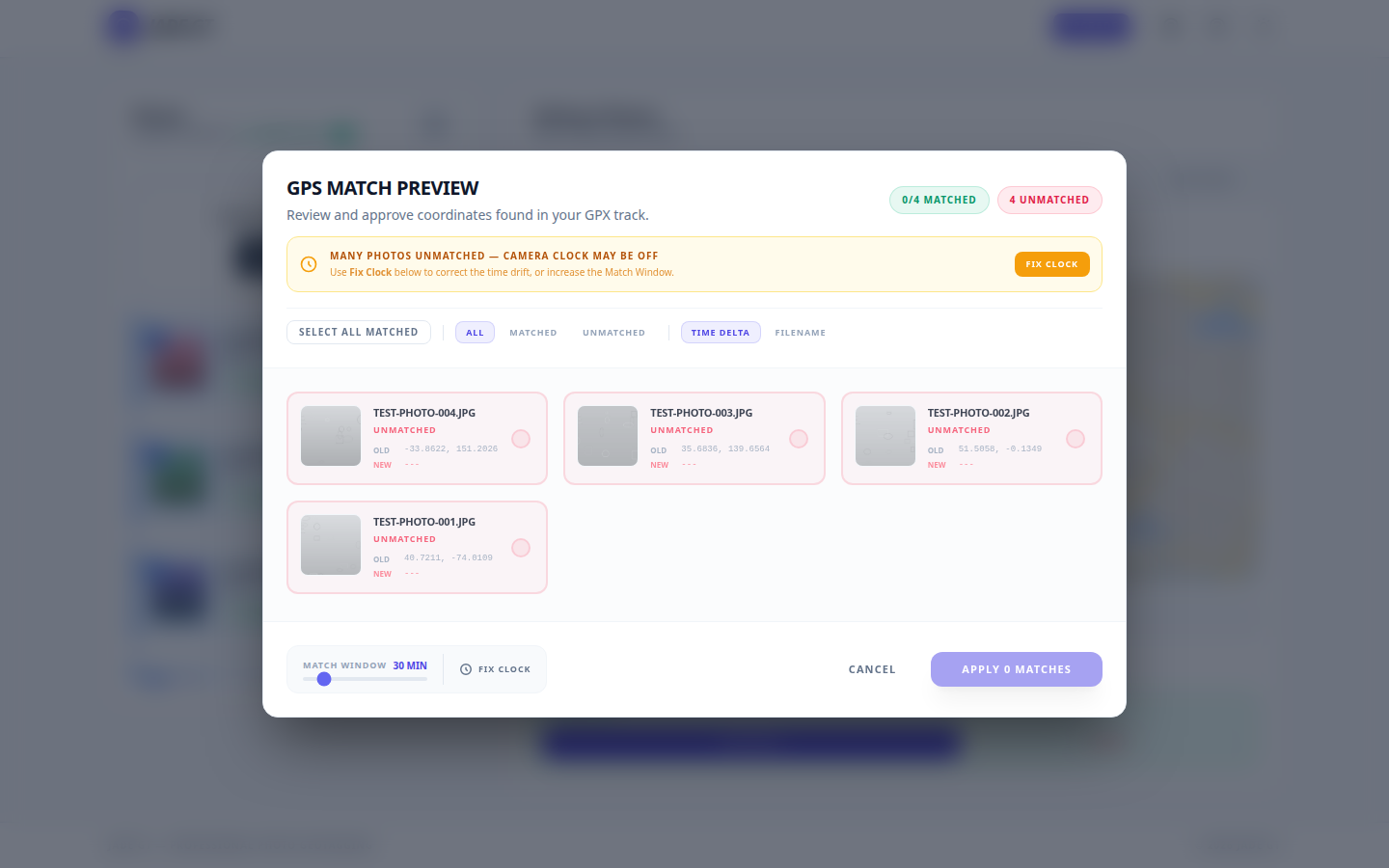
Before you commit to all 2,000, Jade GT shows you what the output will look like on the first ten files. Filenames, embedded metadata, GPS, keywords — all visible, all editable. This is your "does this look right" moment. If something is wrong, you fix it here, not after you have processed 2,000 files.
4. Run the pass
One click. Six treatments, applied to 2,000 files, in the time it takes to pour a second cup of coffee.
5. Open Lightroom to a catalog that already works
Import into Lightroom as usual. The difference: every photo is already named, copyrighted, geotagged, keyworded, and titled. Your catalog opens sortable, filterable, and client-ready. You begin culling the actual photos instead of wrangling metadata about them.
This is what I have been calling "pre-Lightroom metadata." The verb matters because the category did not exist before — nobody shipped a tool that assumed the metadata happens before you open your catalog, not inside it.
One quiet note on where your files go
Jade GT runs entirely in your browser. Your RAWs never upload anywhere. Nothing syncs to a cloud. Nothing trains an AI on your work — because we cannot see your files in the first place.
You do not have to explain this to couples who ask about AI in their photography. It is simply true of the tool.
What Jade GT is not
A good tool is honest about its edges. Jade GT is not:
- A culler. Keep using Aftershoot, Narrative, or Imagen. Jade GT runs before them.
- An editor. Lightroom and Capture One still do what they do.
- A delivery platform. Pic-Time, Pixieset, and ShootProof still handle galleries.
Jade GT sits in the ten-minute gap between card-ingest and cull. It does six specific things in that gap. That is the whole pitch.
FAQ
Does this work with RAW files from my camera? Yes — Jade GT reads and writes metadata directly to RAW files from every major manufacturer. Canon CR2 and CR3, Nikon NEF, Sony ARW, Fujifilm RAF, and the rest. (See the full list of supported formats in the user guide.)
Will it slow down my computer with 2,000 files loaded? No. Files are processed in batches and nothing is held in memory longer than it needs to be. A 2,000-file wedding runs on the same laptop that runs Lightroom.
Do I need to install anything? No installer, no plugin, no extension. Open the page, drop the folder, run the pass. That is it.
Try it on ten photos
You do not have to take my word for any of this. Grab ten RAWs from your last wedding, drop them into Jade GT, and watch the preview happen. If the output is not exactly what your Monday morning needed, close the tab and lose nothing.
If it is — your next Monday just got shorter.
Have a Monday-morning workflow question I did not answer here? Reply to this post or email me directly — I read every message, and future posts in this series come straight from what working wedding pros are actually asking.